Disclosure: This article contains my referral link. New users may receive a deposit bonus if they meet the applicable requirements, and I may receive a referral reward. Using the link does not add any cost for you.
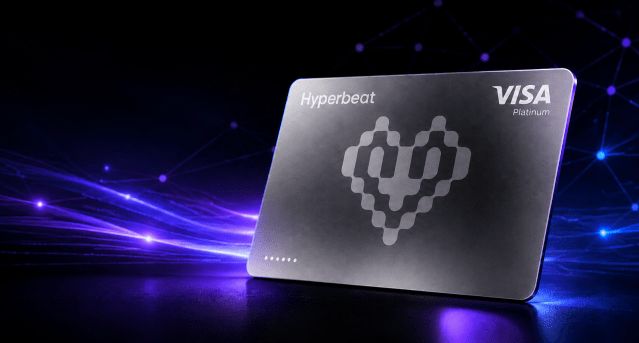
Hyperbeat Pay is a crypto-native Visa card built for the Hyperliquid ecosystem. As a Malaysia-based user, I completed registration and card issuance, added the virtual card to Apple Wallet, and tested it at a physical merchant.
It lets you use funds in your Hyperbeat account at Visa merchants without first selling your crypto through a centralized exchange and withdrawing the money to a bank. It also offers a Credit Mode that lets eligible users borrow USD against supported assets instead of selling them.
For first-time users, however, I recommend starting with Cash Mode. It uses an existing USD balance and does not expose you to borrowing interest or liquidation risk.
Japanese version: 日本語版のHyperbeat Payガイドを読む
The Short Version
- Hyperbeat Pay is most useful for people who already use Hyperliquid or HyperEVM and want to connect on-chain assets with everyday Visa spending.
- Cash Mode is the simpler option for beginners because it does not involve borrowing or collateral liquidation.
- Credit Mode is not a conventional credit card. It is a collateralized DeFi loan with variable interest and liquidation risk.
- Base cashback ranges from 0.25% to 0.55% in WHYPE. Hyperliquid integration, rather than a high reward rate, is the main attraction.
- In a real ZUS Coffee purchase in Malaysia, MYR 15.60 was charged as $3.88 and earned the published Liquid rate of 0.25%.
- Malaysia and Japan appear on the supported-country list, but the features shown in your verified account should be treated as the current source of truth.
If cashback is your priority, compare Hyperbeat Pay with Plasma One and Jupiter Global in the card-comparison section below.
Hyperbeat Pay referral link
Create a Hyperbeat Pay accountReferral code:
HZ5K46E5
The referral bonus requires a qualifying deposit to be maintained for three months. The conditions are explained later in this guide.
What Is Hyperbeat Pay?
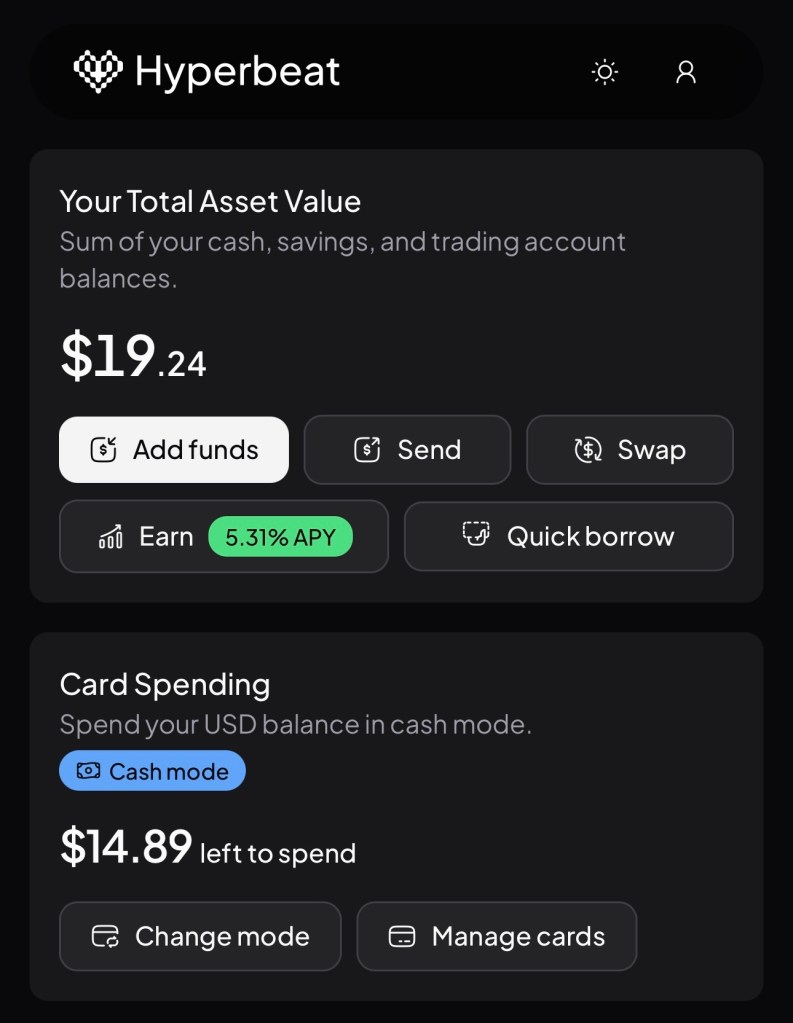
Hyperbeat Pay combines a HyperEVM smart-contract account, called a Liquid Bank account, with a Visa payment card.
Despite the word “Bank” in the product name, a Liquid Bank account is not a conventional bank account or insured bank deposit. It should be evaluated as a DeFi product with smart-contract and connected-protocol risk.
Its main features include:
- Spending an available USD balance directly
- Borrowing USD against supported crypto assets without selling them
- Paying online and in stores wherever the card is accepted
- Adding the card to Apple Pay or Google Wallet
- Depositing native BTC, ETH and SOL
- Earning WHYPE cashback on eligible card purchases
- Holding assets in a smart-contract account where the user is the Owner
One of the biggest differences between Hyperbeat Pay and a typical prepaid crypto card is the choice between Cash Mode and Credit Mode.
| Mode | How payment works | Interest | Main risks |
|---|---|---|---|
| Cash Mode | Uses the available USD balance in your account | None | Insufficient balance, FX costs and card restrictions |
| Credit Mode | Borrows USD against supported collateral | Variable | Interest, falling collateral value and liquidation |
For everyday spending, Cash Mode is the simpler and safer option for most users.
Country Availability
As checked on August 8, 2026, Hyperbeat Pay lists both Malaysia and Japan as supported jurisdictions. The list also includes Singapore, Thailand, Hong Kong, Australia, the United Arab Emirates and a number of other countries.
Availability can still differ by feature. Card issuance, Credit Mode and fiat deposits or withdrawals may be rolled out on different schedules in each region. Always enter your legal country of residence correctly and treat the features displayed in your account as the current source of truth.
How to Sign Up for Hyperbeat Pay
1. Open the referral link
If you want to use the referral offer, open the referral link near the beginning of this article before creating your account. Confirm that the referral code has been applied before continuing.
2. Register your email and create a passkey
Enter your email address and use the verification code sent to your inbox. You will then be asked to create a passkey using Face ID, fingerprint recognition or your device passcode.
Because the passkey is used to access and manage your account, set it up on a personal device that you control.
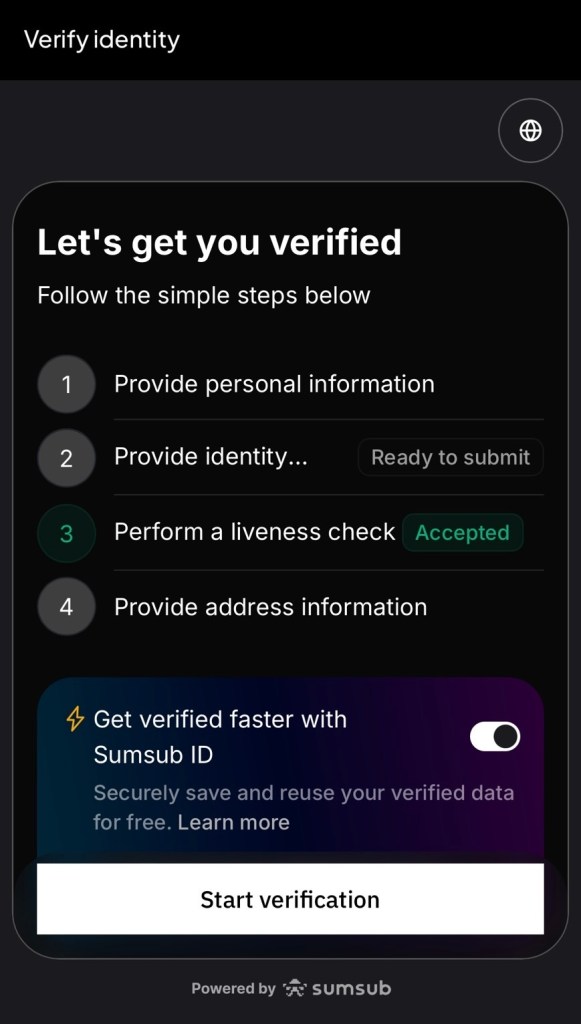
3. Complete identity verification
You must complete identity verification before receiving a Hyperbeat Pay card. You will normally need:
- A government-issued photo ID, preferably a passport
- A selfie and liveness check
- Proof of address, if required in your region
If proof of address is requested, prepare a bank statement or utility bill issued within the last three months that clearly shows your full name and address.
Hyperbeat says verification is normally approved in around two minutes when the submitted information is correct. Blurry images, expired documents and mismatched names, dates of birth or addresses can delay the process.
4. Create a virtual card
After your identity has been approved, open the card section and issue a virtual card. Its card number, expiration date and CVV can be viewed inside the app.
Hyperbeat’s help center says virtual cards are issued instantly and that users can create up to five virtual cards. The availability of a physical card may change, so check the current options shown in your account.
How to Deposit Funds into Hyperbeat Pay
Depositing crypto
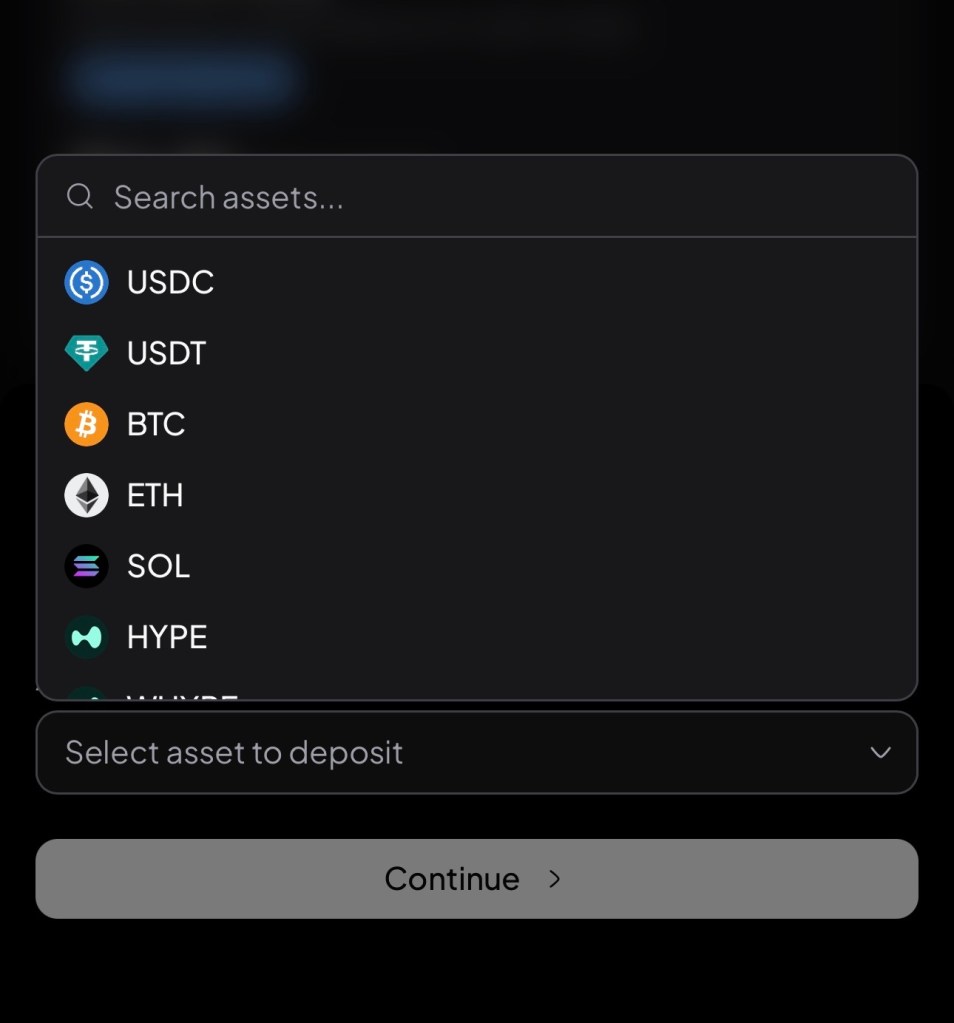
The general crypto deposit process is:
- Open Hyperbeat Pay and select Add funds.
- Select Crypto.
- Choose the asset you want to deposit.
- Copy the unique deposit address displayed for that asset.
- Send the funds from your wallet or exchange.
- Check the deposit status in Transaction History.
Native deposits currently include assets such as BTC, ETH and SOL. After arrival, they are represented by Unit assets such as UBTC, UETH and USOL, which can be held, traded or used as eligible collateral.
Make sure the asset and network match exactly. Sending a different token or using the wrong network may result in permanent loss. A small test transfer is always sensible before moving a larger amount.
Native BTC, ETH or SOL deposits are not the same as the spendable USD balance used by Cash Mode. To fund Cash Mode, check the supported stablecoins and networks currently displayed in the app, such as USDC or USDT, and make a small test transfer first.
Depositing from a bank
Hyperbeat Pay also supports bank deposits in USD and EUR through the following payment rails:
- USD: ACH, Fedwire or SWIFT
- EUR: SEPA
Open Pay, select Add funds, choose Fiat, and then select your currency. First-time fiat users may need to complete an additional identity check with Hyperbeat’s payment partner.
After the bank transfer has been received and converted, a Sign to finalize button will appear in the transaction history. Sign the transaction to complete the deposit into your Liquid Bank account.
Direct deposits in JPY or MYR depend on regional availability. If the option is not displayed in your account, do not try to force an unsupported transfer; use one of the available crypto or bank deposit routes instead.
How to Pay with Cash Mode
Cash Mode deducts each card payment from your available USD balance. It does not involve a loan, so there is no borrowing interest or collateral liquidation risk.
- Set the active spending mode to Cash.
- Confirm that your available USD balance is sufficient.
- Pay at a Visa merchant using the card or mobile wallet.
- Review the payment in Transaction History.
Your spending power is generally limited to your available USD balance. Funds deposited in USD+ Savings are excluded from the immediately spendable balance.
For your first payment, try a small purchase of approximately $5 to $10 before relying on the card for a larger transaction.
How Credit Mode Works
Credit Mode lets you borrow USD against supported assets and use the borrowed funds for card payments. This allows you to spend without selling your collateral, but it works very differently from a conventional credit card.
- A variable borrowing rate starts accruing as soon as USD is borrowed.
- There is no interest-free grace period or monthly billing cycle.
- The current borrowing APR is displayed in the app.
- Debt must be repaid using the USD balance in your Liquid Bank account.
- A fall in collateral value may trigger an automatic liquidation.
The following collateral assets and loan-to-value ratios were still listed in Hyperbeat’s official help center when I checked it on August 8, 2026:
| Collateral | LTV |
|---|---|
| UBTC | 50% |
| UETH | 45% |
| USOL | 45% |
| WHYPE | 45% |
| beHYPE | 45% |
| XAUT | 40% |
| USD+ | 75% |
These are the published values I verified on August 8, 2026. Supported collateral and LTV parameters can change, so confirm the latest figures in the app before borrowing. Avoid borrowing close to the maximum and leave a substantial buffer for a sudden fall in collateral value.
For ordinary daily spending, I prefer Cash Mode. Credit Mode is better suited to users who fully understand variable rates, LTV and on-chain liquidation.
Adding Hyperbeat Pay to Apple Pay or Google Wallet
Apple Pay
- Open your Hyperbeat Pay card and select Details.
- View or copy the card information.
- Open Apple Wallet and tap the + button.
- Select Debit or Credit Card.
- Choose the option to add a different card and enter the details.
On mobile, an Add wallet button may let you add the card directly from Hyperbeat Pay.
If Apple Wallet rejects the card, check that both the iPhone region and Apple ID country are set to a country where Apple Pay is supported.
Google Wallet follows a similar process. Add the card manually using its details or use the Add wallet option if it is available in Hyperbeat Pay.

Hyperbeat Pay Fees and Limits
When checked on August 8, 2026, Hyperbeat’s official help center listed the following consumer card fees and limits:
| Item | Fee or limit |
|---|---|
| Card payment FX cost | 0.4% to 1% |
| ATM withdrawal | $1 plus 0.65% |
| ATM balance inquiry | $0.60 |
| Declined ATM transaction | $0.60 |
| Default monthly card spending limit | $100,000 |
| Virtual cards | Up to five |
| Credit Mode borrowing rate | Variable and displayed in-app |
When a terminal asks whether you want to pay in your home currency, USD or the local currency, select the local currency. The alternative is often Dynamic Currency Conversion, or DCC, which usually adds an expensive merchant markup.
For example, choose MYR in Malaysia, JPY in Japan and SGD in Singapore.
Fees and limits can change. Check the app and official help center before making a large purchase or ATM withdrawal.
WHYPE Cashback
Eligible Hyperbeat Pay card purchases earn cashback calculated in USD and paid in WHYPE to the user’s Liquid Bank account.
A Real ZUS Coffee Purchase in Malaysia
On July 7, 2026, I used Hyperbeat Pay at ZUS Coffee in Malaysia—the merchant appears as “Zus Coffee” in the app. The local charge was MYR 15.60, and Hyperbeat Pay recorded a completed debit of $3.88. That works out to an implied exchange rate of approximately MYR 4.02 per USD.
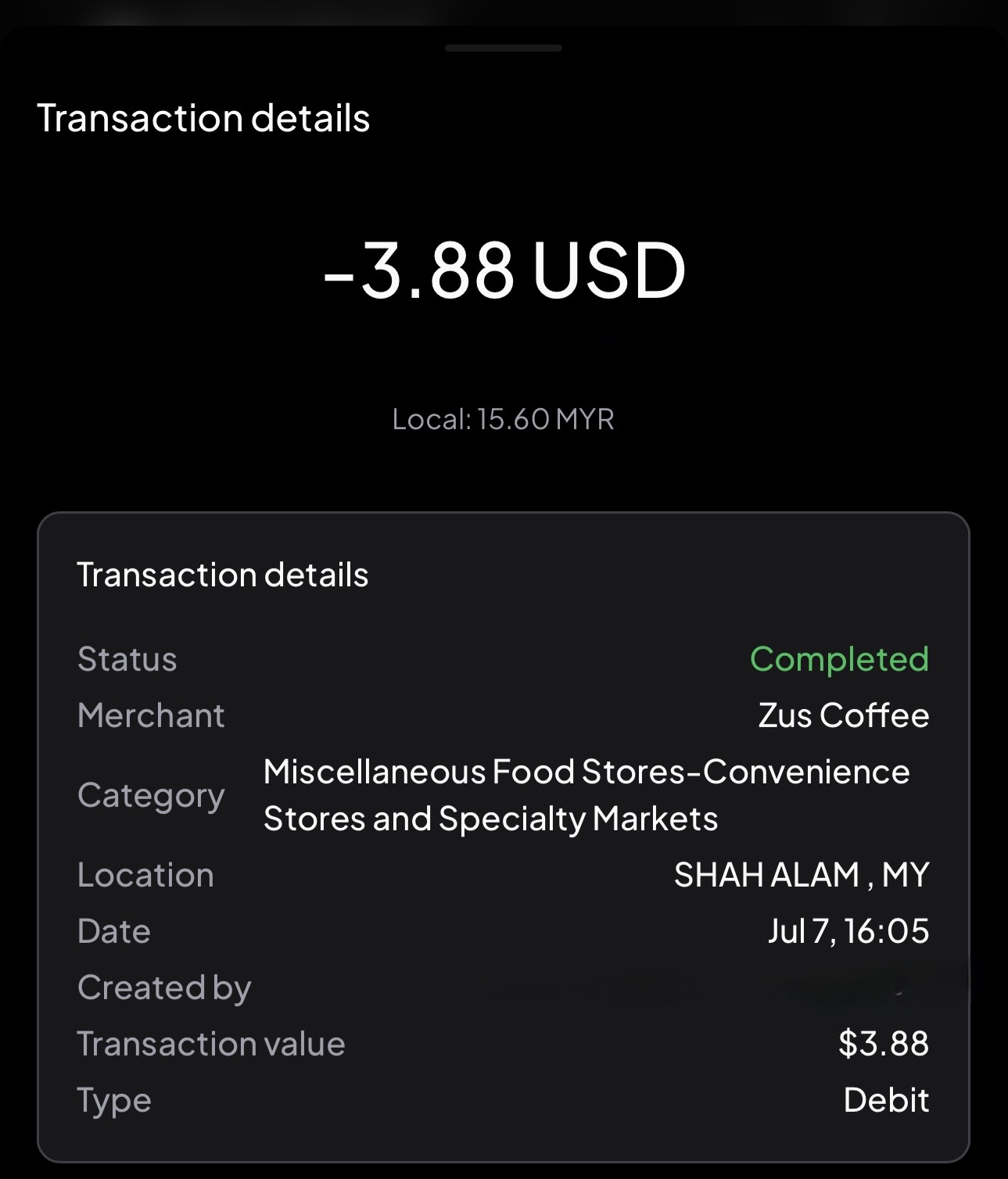
My reward tier was Liquid, with a published rate of 0.25%. Multiplying $3.88 by 0.25% gives $0.0097, which the app rounded to a $0.01 reward. The reward status was marked Complete, and the reward was settled in WHYPE to my Liquid Bank account.
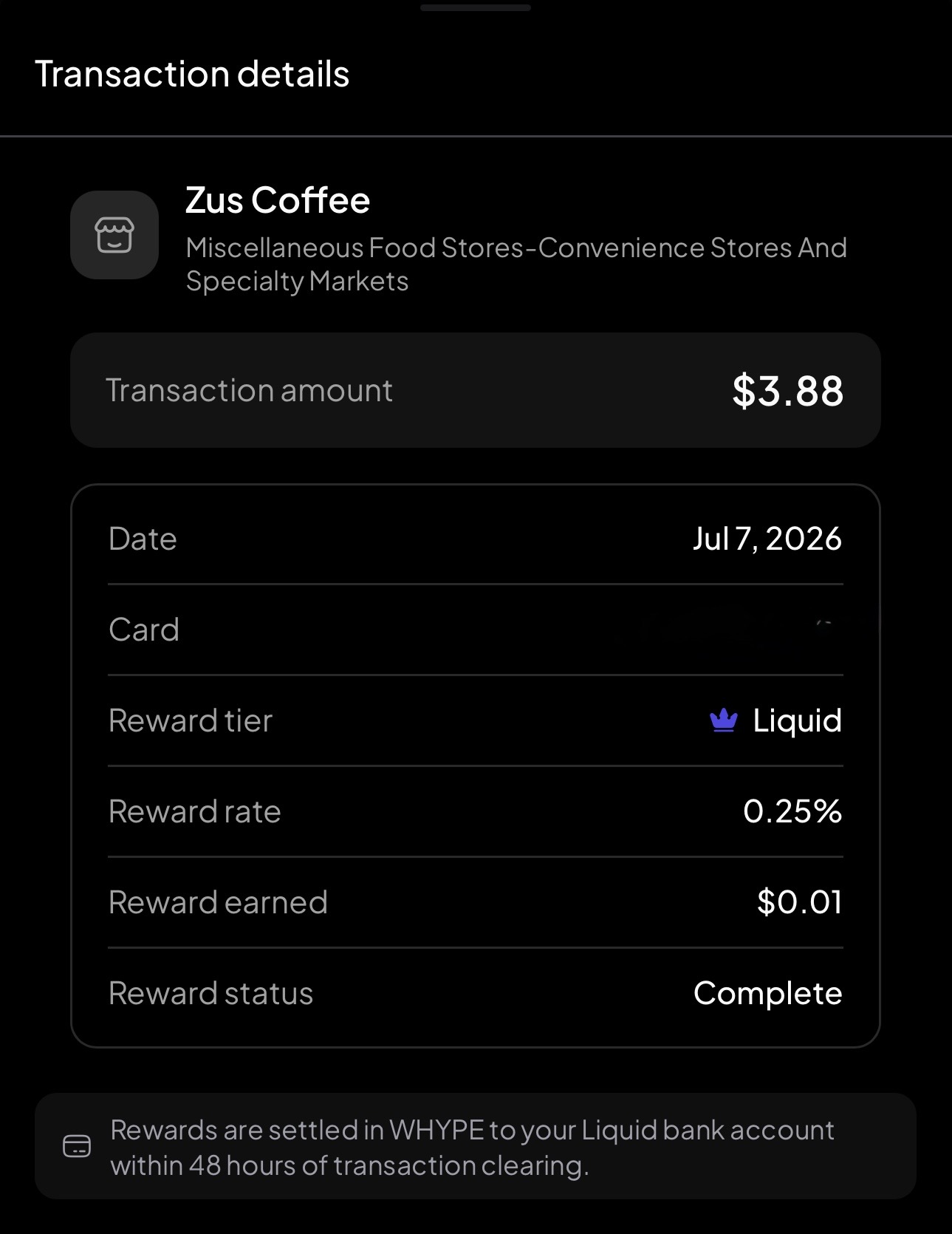
This small transaction confirms that the published Liquid reward rate was applied to a real card purchase. It does not, by itself, reveal the exact FX markup embedded in the exchange rate or establish an average rate for future transactions.
Base Rates and Boosters
The base cashback rate depends on eligible balances held across Hyperbeat:
| Tier | Eligible deposits | Base cashback |
|---|---|---|
| Liquid | Below $1,000 | 0.25% |
| Liquid Pro | $1,000 to $10,000 | 0.40% |
| Liquid Elite | $10,000 or more | 0.55% |
The following activity boosters can increase that base rate:
| Booster | Requirement | Increase |
|---|---|---|
| Spender | Spend at least $1,000 on the card over the last 30 days | +50% |
| Trader | Reach $250,000 in trading volume over the last 30 days | +25% |
| Saver | Hold at least $1,000 in USD+ | +25% |
The boosters can increase the base rate by a maximum of 100%, effectively doubling it. For example, the Liquid Elite base rate of 0.55% can reach a maximum of 1.1%. Cashback is normally sent as WHYPE after the card transaction clears, which can take up to 48 hours.
Do not deposit a large balance solely to increase the cashback rate. Consider smart-contract, protocol and asset risks as well as the potential reward.
Hyperbeat Pay vs. Plasma One and Jupiter Global
Hyperbeat Pay’s main advantage is not its cashback rate. It is the connection between Hyperliquid or HyperEVM assets and everyday Visa spending. It is best suited to people who already use the Liquid Bank account and want a choice between Cash Mode and collateralized Credit Mode. It also supports ATM withdrawals; the published fee is $1 plus 0.65%.
If cashback is the priority, my real-world Plasma One review is a useful comparison. With Plasma One Core, I confirmed approximately 3% cashback on a Starbucks purchase in Malaysia, although non-USD spending also requires you to account for FX costs.
For reference, the Plasma One Starbucks payment also produced an implied rate of approximately MYR 4.02 per USD. Across these two individual transactions, I did not see a meaningful difference in the implied exchange rate. The reward rates, however, were clearly different: approximately 3% on Plasma One Core versus 0.25% on Hyperbeat Pay’s Liquid tier.
If you mainly hold USDC and want both card and QR payments, see my Jupiter Global guide (Japanese language).
These are single transaction examples rather than a controlled FX study. Rates, fees and reward programs can change, so choose based on the assets you already use, the payment methods you need and the current terms shown in each app.
Hyperbeat Referral Deposit Bonus
New users who register through a valid referral link and maintain a qualifying USD deposit for three months may receive a one-time bonus.
| Initial qualifying deposit | Bonus |
|---|---|
| $1,000 | $5 |
| $5,000 | $20 |
| $10,000 | $40 |
| $50,000 | $100 |
| $100,000 | $200 |
The bonus remains locked for three months. If your balance falls below the required minimum during that period, the bonus may be reduced or cancelled.
Your tier is determined when the initial qualifying deposit is made. Adding more funds later does not upgrade the original bonus tier.
Join Hyperbeat Pay with the referral link
Referral code:
HZ5K46E5
Important Risks and Restrictions
Credit Mode carries liquidation risk
Credit Mode is not a conventional credit card balance that you simply pay at the end of the month. It is a collateralized DeFi loan. A sharp fall in collateral value can trigger liquidation without waiting for manual approval.
Self-custody does not eliminate every risk
Hyperbeat uses a smart-contract account where the user is the Owner. The Operator used to settle card transactions has restricted permissions and is limited by the spending allowance set for the account.
However, this does not remove smart-contract, connected DeFi protocol, oracle, bridge, card issuer or payment-partner risk. Start with an amount you expect to spend rather than moving all of your living funds into the service.
Some merchant categories are blocked
Even when a merchant accepts Visa, certain categories are not supported. Hyperbeat’s restricted list includes money transfers and quasi-cash transactions, securities brokers, online gambling and betting, some jewelry businesses and various government-related payments.
Acceptance may also depend on the merchant’s own policy and the billing address attached to the card.
Features vary by jurisdiction
Card availability, Credit Mode and fiat payment rails may differ depending on your legal residence and Hyperbeat’s regional partners. The options visible in your verified account should take priority over any older guide.
Tax treatment varies by country
Receiving WHYPE rewards or spending crypto-linked funds may have tax consequences depending on your jurisdiction. Keep records of transaction dates, USD values, reward amounts and any later disposal of WHYPE, and consult a qualified local professional when needed.
Who Is Hyperbeat Pay Best For?
Hyperbeat Pay may be a good fit if you:
- Regularly use Hyperliquid or HyperEVM
- Want to reduce the need to cash out through a centralized exchange
- Need a crypto-linked Visa card for spending across countries
- Want to pay through Apple Pay or Google Wallet
- Understand the risks of borrowing against crypto collateral
If you are new to DeFi or unfamiliar with wallets and liquidation, begin with a small Cash Mode balance and avoid Credit Mode until you understand how it works.
Final Thoughts
Hyperbeat Pay connects Hyperliquid trading and on-chain assets with everyday Visa payments.
After creating an account, completing KYC, funding the Liquid Bank account and adding the virtual card to Apple Pay or Google Wallet, you can use it at supported Visa merchants.
My ZUS Coffee payment confirms that the card worked at a physical merchant in Malaysia and that the published Liquid cashback rate was applied. The rate is modest, so the strongest reason to use Hyperbeat Pay remains its integration with Hyperliquid rather than rewards alone.
The most important point is to understand the difference between Cash Mode and Credit Mode. Start with a small Cash Mode payment, always choose the merchant’s local currency, and only use Credit Mode if you are comfortable with variable interest, LTV and liquidation risk.
Related Guides
- Plasma One Review: My Real XPL Cashback Results in Malaysia
- How to Use Jupiter Global for USDC Payments (Japanese language)
This article is based on official information checked on August 8, 2026, together with my own account and transaction screens. Crypto and DeFi involve price, smart-contract, protocol, borrowing and liquidation risks. This article is for informational purposes only and is not financial, investment, tax or legal advice.


 The Matsubara Report